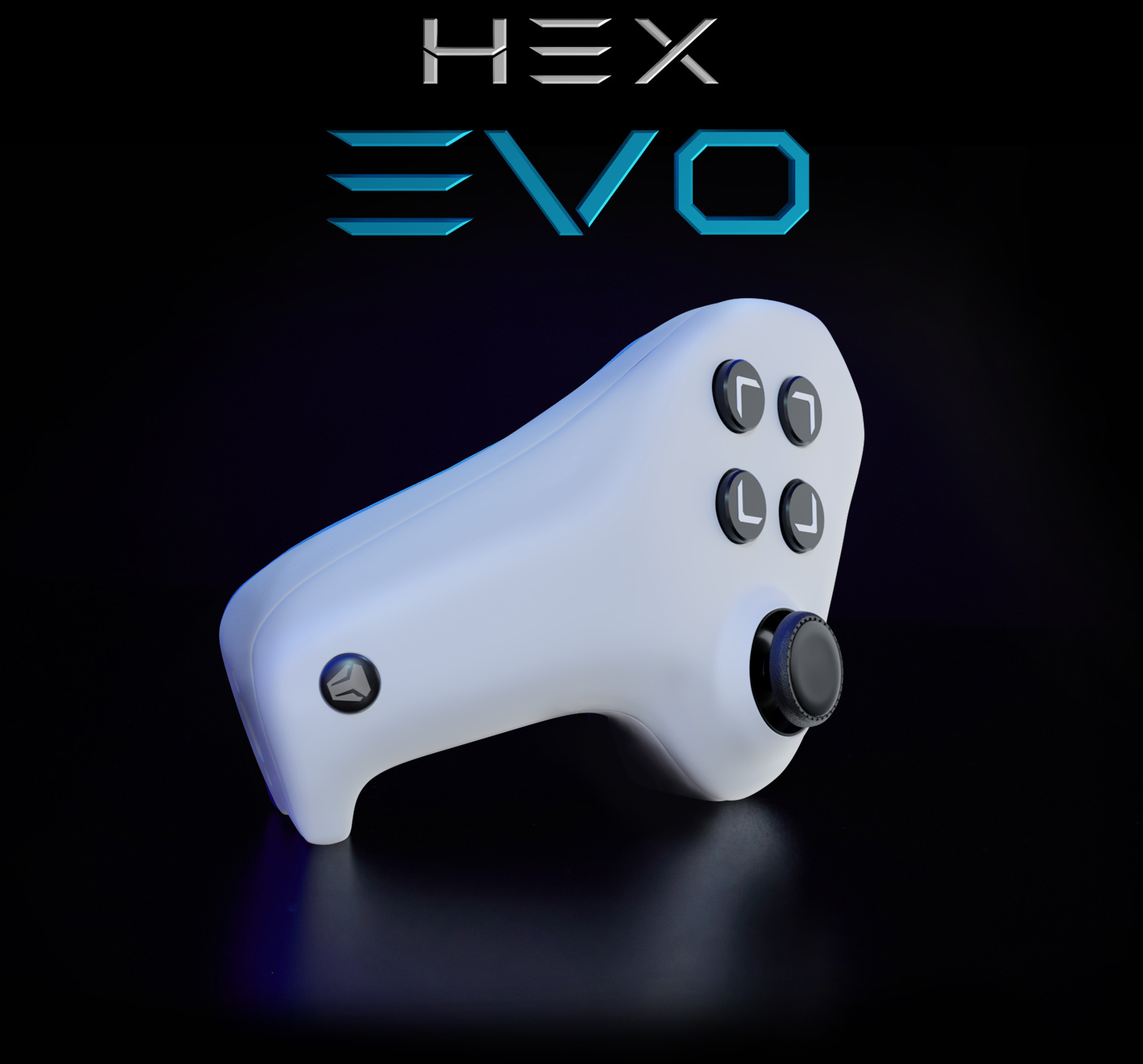










Left Hand Gaming Controller

Combine the Best of Both Worlds

Unleash the Power of Controller Movement and Mouse Aim

You can now combine the best of both worlds: mouse aim and true analog stick movement. It's plug-and-play and fully compatible with PC and Console (Xbox & PlayStation).

Features

Click the icons below to learn more about each feature

Sit Back and Relax

Your Desk is No Longer the Limit

Hold your Hex Evo on your lap, armrest, desk, or wherever you feel most comfortable. You’re no longer desk-bound, so relax on your gaming chair, couch, or bed; and game comfortably. 

No More Joystick Drift

It's Fully Repairable!

The days of joystick drift are finally over. The Hex Evo is super-easy to access and repair.

You can buy official replacement modules (joystick module, battery, motherboard, and more) and easily swap out damaged parts for brand new ones.

It’s a controller that lasts you a lifetime. This is our commitment to you and the environment. We care about Planet Earth :).

Fully Replace the Keyboard

Analog Stick + 32 Mappeable Inputs

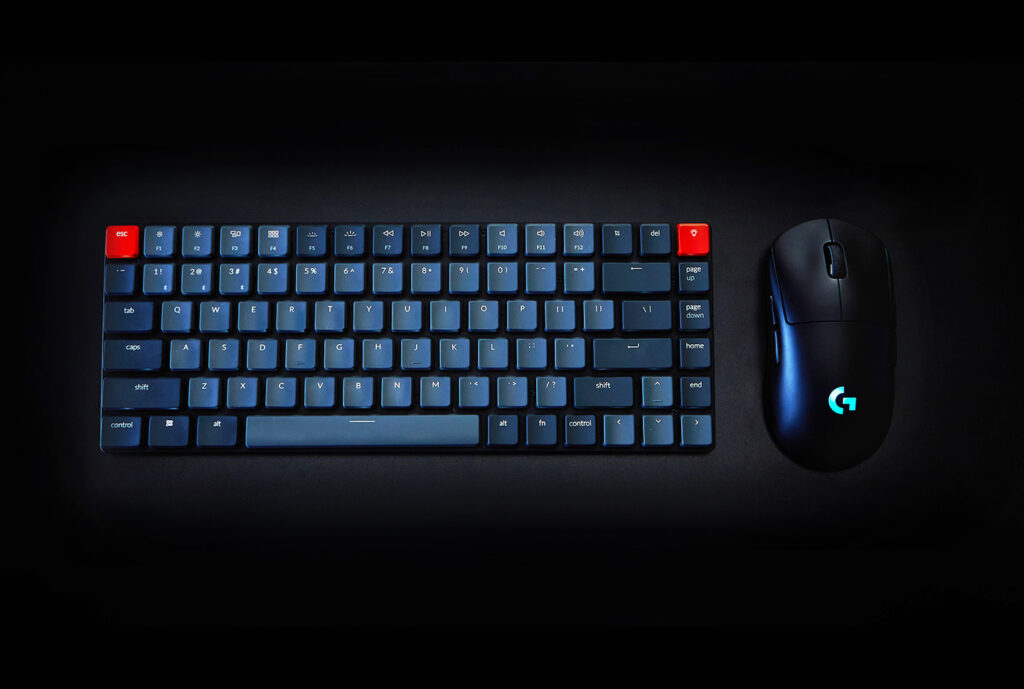
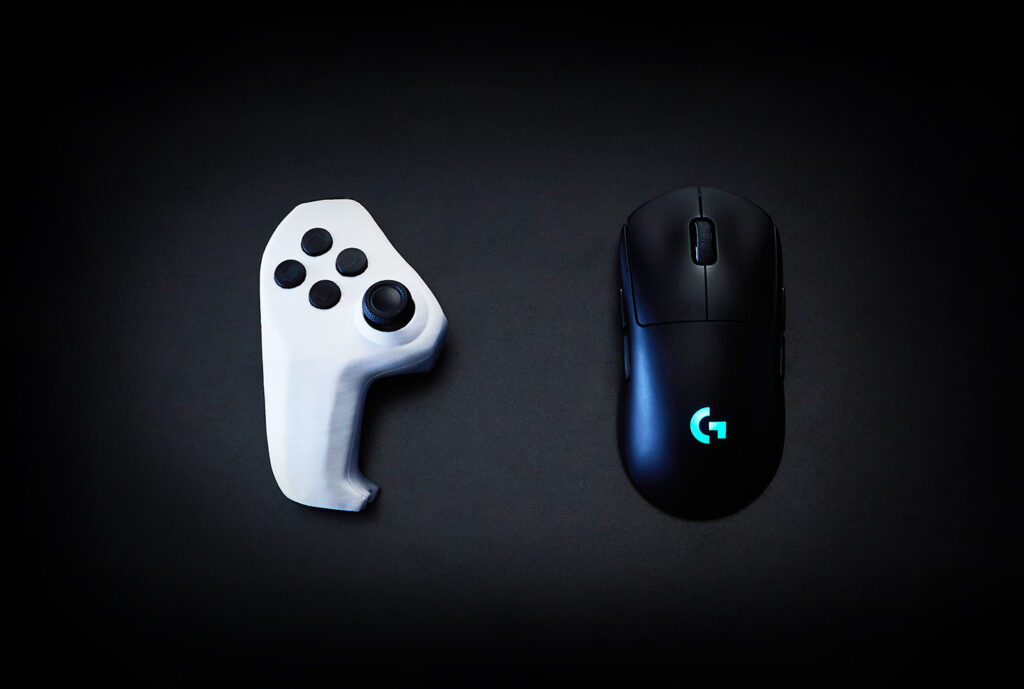
This is how much of the keyboard you get at your fingertips.

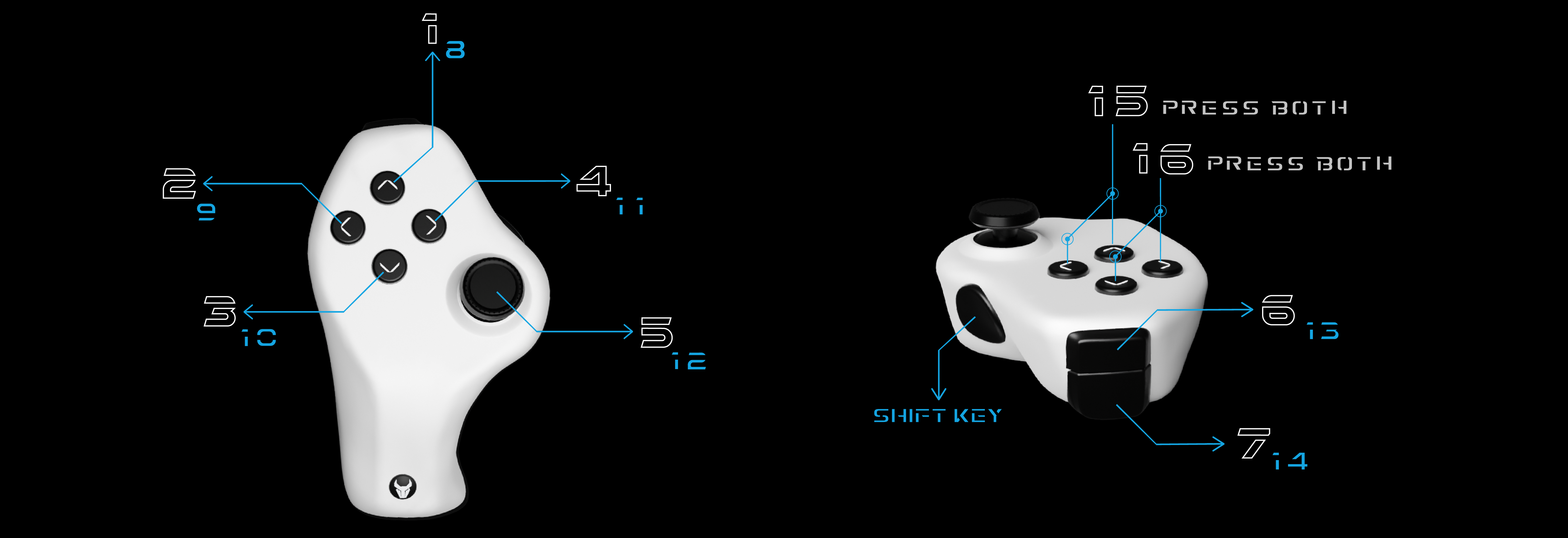
Reload, crouch, jump, interact, and perform any in-game actions with 32 mappable inputs at your fingertips. All while moving with an analog stick. Click this button to see the button layout:

Game Comfortably

The tool adapts to your body, not the other way round.

Forget about awkward positions, long stretches, and wrist pain. Reach every input effortlessly while keeping your wrist in a straight, natural position at all times.

Questions?

Check the FAQ section below or send us a DM.

Frequently Asked Questions

Pre-orders are now live on Indiegogo! Find the link on top of this page.

Yes, the joystick is analog. You can move in 360 degrees and with progressive increments. You can toggle it between controller (analog) mode and keyboard (digital) mode depending on which game you’re playing.

Yes, the Hex Evo is console and PC compatible. For console games that have keyboard and mouse support, you can use the Evo directly. For those that don’t, you’ll need a 3rd party adaptor like the XIM.

We estimate the production version will be $119.

The Evo is a high-end product and the production version will be injection molded with high-quality ABS plastic, mouse switches, grip texture, high-end components, and a focus on build quality, performance, and durability.

We aim to create a high quality product that will give you the best possible experience when you have it in your hands, and that will last you a very long time (hence repairability), rather than a cheaper product where all of those factors are compromised.


Join the Waitlist

Join the community, get insane early discounts and rewards; and become one of the first earthlings to ever hold a Hex Evo!

Limited time

We care about what you think!

Do you have any questions, comments, or suggestions?

Let's chat!

Or send us a message!

Check your email for your reply.

Would you like to support the project?

You can make a donation here. Any amount is very much appreciated! All donations will be put into the development of the Hex Evo.

What The Community Has To Say:

Combine the Best of Both Worlds

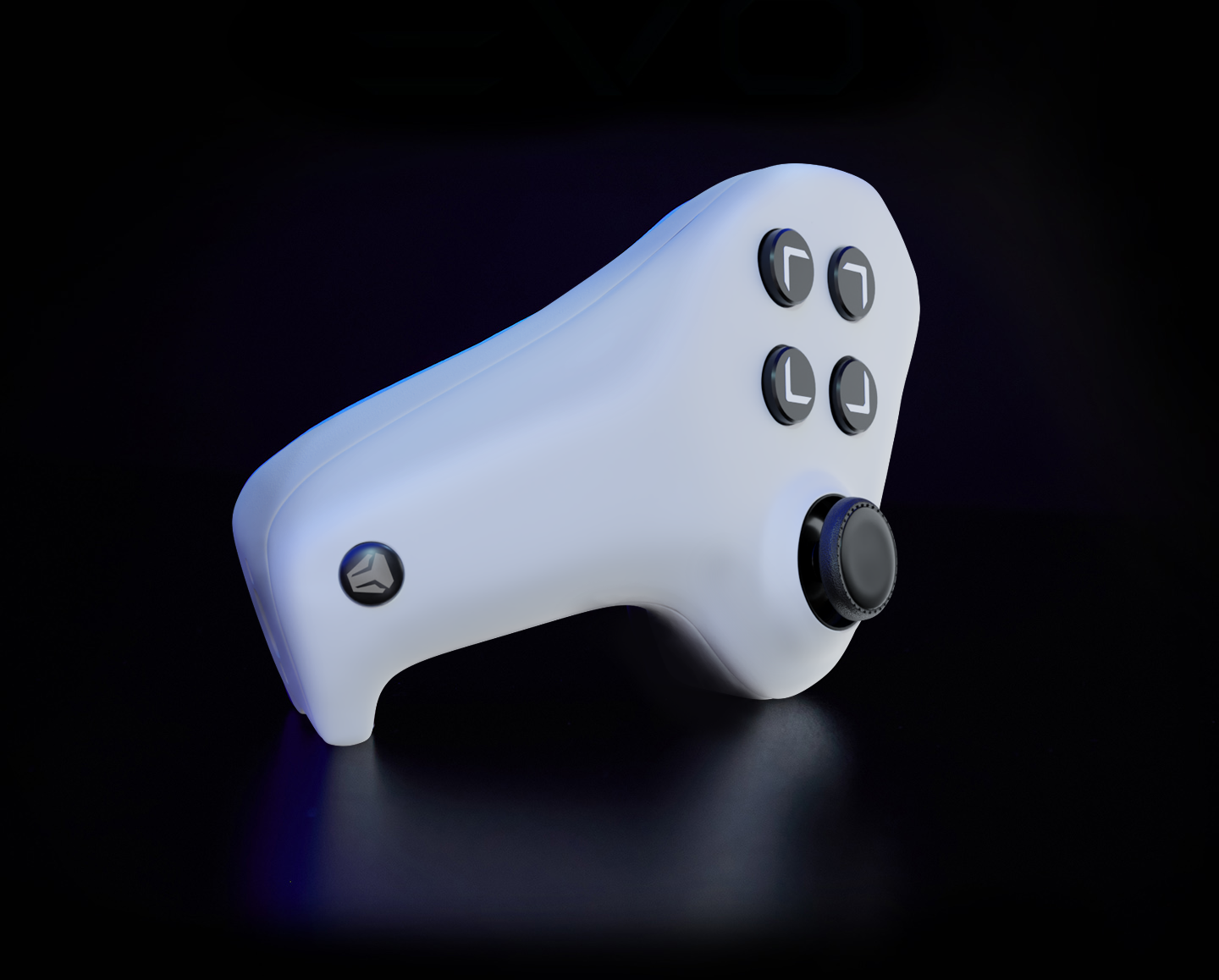
The Hex Evo is an ergonomic left hand controller that allows you to game with a mouse-and-controller setup instead of the standard mouse-and-keyboard setup. Plug-and-play and fully compatible, the Hex Evo allows you to move with a true analog stick and perform any in-game actions with 32 mappeable inputs at your fingertips. All while aiming with your own mouse.

Left Hand Gaming Controller

Pre-orders now open! Be quick to get one of the early bird discounts.

Combine the Best of Both Worlds

The Hex Evo is an ergonomic left hand controller that allows you to game with a mouse-and-controller setup instead of the standard mouse-and-keyboard setup.

The Hex Evo allows you to move with a true analog stick and perform any in-game actions with 22 mappeable inputs at your fingertips. All while aiming with your own mouse.

Unleash the power of controller movement and mouse aim.

Features

True Analog
Joystick

32 Mappable
Inputs

Fully Repairable

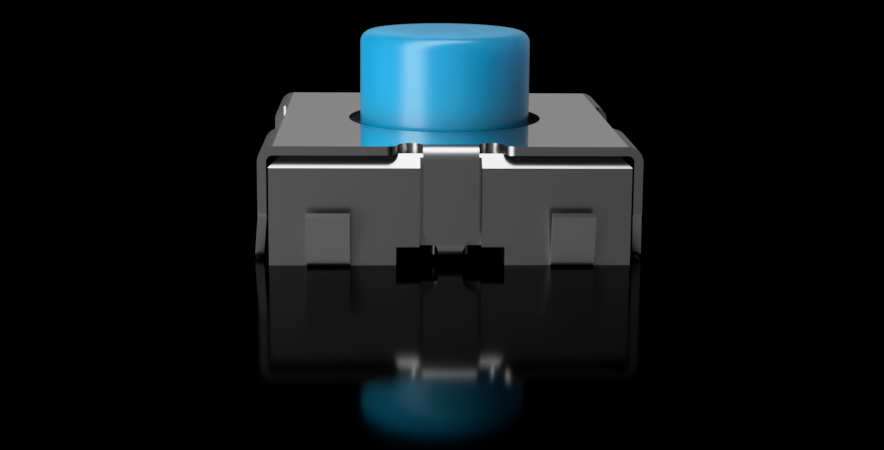
Mouse Switches

Injeciton Molded

Ergonomic

Lithium Battery

USB C

Fully Replace the Keyboard

Analog Stick + 32 Inputs

This how much of the keyboard you get at your fingertips.

Reload, crouch, jump, interact, and perform any in-game actions with 32 mappable inputs. All while moving with an analog stick. Click this button to see the button layout:

Be part of a growing a friendly community of earthlings who are eager to evolve :).

Game Comfortably

(H)and-(ex)tention

The tool adapts to your body, not the other way round. 

Forget about awkward positions, long stretches, wrist pain. Reach every input with no effort while keeping your wrist in a straight, natural position at all times.

Sit Back and Relax

Your Desk is no Longer the Limit

Hold your Hex Evo on your lap, armrest, desk, or wherever you feel most comfortable. You’re no longer desk-bound, so relax on your gaming chair, couch, or bed; and game comfortably. 

No More Joystick Drift

Fully Repairable Controller

The days of joystick drift are finally over. The Hex Evo is super-easy to access and repair. 

You can buy official replacement modules (joystick module, battery, motherboard, and more) and easily swap out damaged parts for brand new ones.

It’s a controller that lasts you a lifetime. This is our commitment to you and the environment. We care about Planet Earth :).

Reviews

Reviews

Join the Waitlist

Join the community, get early discounts and rewards; and become of of the first earthlings to ever hold a Hex Evo!

Limited time

We Care About What You Think

Do you have any questions, comments, or suggestions?

Chat with us here:

Or send us a message!

Check your email's spam folder for your reply.

Would you like to support the project?

You can make a donation here. Any amount is very much appreciated! All donations will be put into the development of the Hex Evo. Total received so far: US $370.

True Analog Stick

Feel the Freedom of Joystick Movement

The WASD struggle is over! The Hex Evo’s analog stick is not just mapped to WASD and it’s actually recognized by your PC (or console) as a game controller analog stick, enabling true 360° analog movement. Take a look below: 

If you prefer, you can also easily toggle the analog stick to “Keyboard Mode”, in which case it will be mapped to the keyboard WASD keys, and your PC will recognize the analog stick as keyboard input.

Mouse Switches

Built for high-end gaming

Lithium Battery

40+ hours of gameplay on each charge

The WASD struggle is over! Your Hex Evo’s analog stick is recognized by your PC (or console) as an Xbox 360 controller’s left stick, enabling true 360° analog movement. Take a look below: 

If you prefer, you can also easily toggle the analog stick to “Keyboard Mode”, in which case it will be mapped to the keyboard WASD keys, and your PC will recognize the analog stick as keyboard input.

Fully Replace the Keyboard

Analog Stick + 32 Mappable Inputs

Reload, crouch, jump, interact, and perform any in-game actions with 32 mappable inputs at your fingertips. All while moving with an analog stick.

You can map any Hex Evo button to any keyboard key or in-game action that you want. Click this button to see the button layout:

Injection Molded

High quality and durable parts to last a lifetime

The WASD struggle is over! Your Hex Evo’s analog stick is recognized by your PC (or console) as an Xbox 360 controller’s left stick, enabling true 360° analog movement. Take a look below: 

If you prefer, you can also easily toggle the analog stick to “Keyboard Mode”, in which case it will be mapped to the keyboard WASD keys, and your PC will recognize the analog stick as keyboard input.

USB-C Cable

High-end, ultra fast data transfer braided cable

The WASD struggle is over! Your Hex Evo’s analog stick is recognized by your PC (or console) as an Xbox 360 controller’s left stick, enabling true 360° analog movement. Take a look below: 

If you prefer, you can also easily toggle the analog stick to “Keyboard Mode”, in which case it will be mapped to the keyboard WASD keys, and your PC will recognize the analog stick as keyboard input.

No More Joystick Drift

It's Fully Repairable!

The days of joystick drift are finally over. The Hex Evo is super-easy to access and repair.

You can buy official replacement modules (joystick module, battery, motherboard, and more) and easily swap out damaged parts for brand new ones.

It’s a controller that lasts you a lifetime. This is our commitment to you and the environment. We care about Planet Earth :).

Ergonomic

The tool adapts to your body, not the other way round

The WASD struggle is over! Your Hex Evo’s analog stick is recognized by your PC (or console) as an Xbox 360 controller’s left stick, enabling true 360° analog movement. Take a look below: 

If you prefer, you can also easily toggle the analog stick to “Keyboard Mode”, in which case it will be mapped to the keyboard WASD keys, and your PC will recognize the analog stick as keyboard input.

Wireless

Enjoy the freedom of wireless gaming

The Hex Evo let’s you relax and game without being bound by cables. You can chill from your bed or sofa and enjoy less intense games from the comfort of distance.

If you prefer, you can also easily toggle the analog stick to “Keyboard Mode”, in which case it will be mapped to the keyboard WASD keys, and your PC will recognize the analog stick as keyboard input.

Hex Evo Button Layout

8 buttons = 22 inputs.

NOTE: the following is an older version of the Hex Evo. The latest version has more buttons an features that allow for a total of 32 mappable inputs instead of 22. This section will be updated soon :).

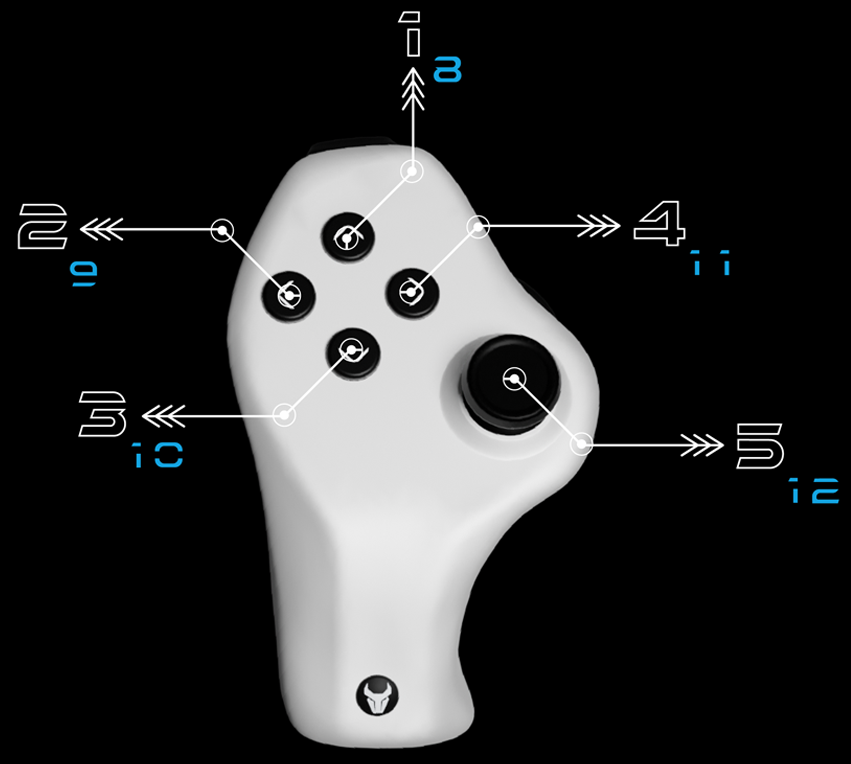
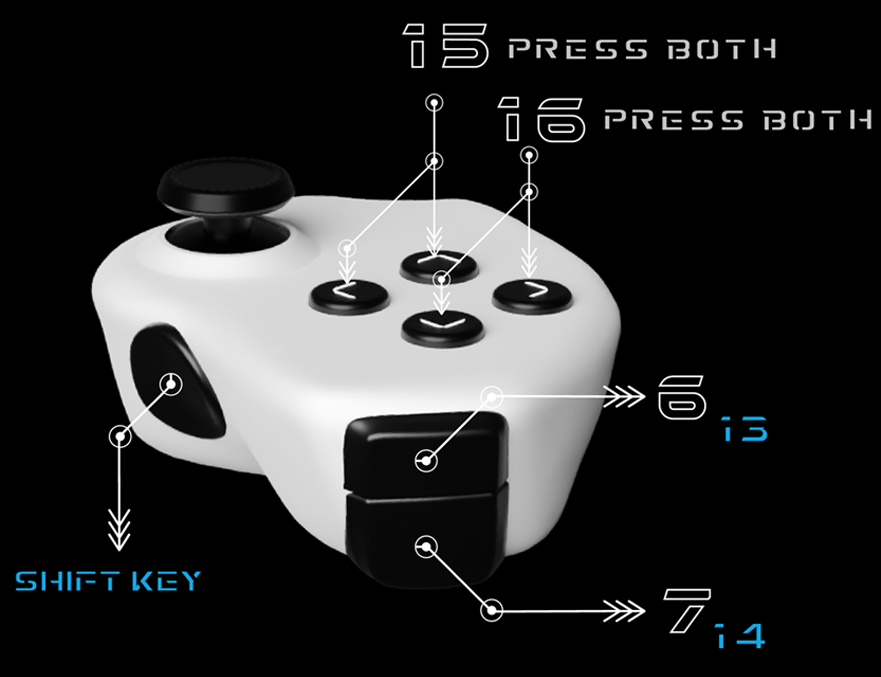
The Hex Evo has an analog stick (with push button 5), four top buttons (1-4), two bumper buttons (6-7), and one side button ("Shift Key" button).

8 buttons = 22 inputs.

When pressed, the 'Shift Key' button enables a secondary action for all of the other 7 buttons (buttons 1-7), allowing for 14 different inputs.

Additionally, pressing buttons 1+2, 3+4, and 6+7 at the same time gives three new inputs, which you can also pair with the 'Shift Key' function for yet 6 more inputs, for a total of 20.

With the accelerometer feature, you can shake your Hex Evo for another input, and you can also shake it while the "Shift key" button is pressed for yet another input, for a total of 22.

You can map any button to any in-game action that you want.

Hex Evo Button Layout

The Hex Evo has an analog stick (with push button 5), four top buttons (1-4), two bumper buttons (6-7), and one side button ("Shift Key" button).

When pressed, the 'Shift Key' button enables a secondary action for all of the other 7 buttons (buttons 1-7), allowing for 14 different inputs.

Additionally, pressing buttons 1+2, 3+4, and 6+7 at the same time gives three new inputs, which you can also pair with the 'Shift Key' function for yet 3 more inputs, for a total of 20.

With the accelerometer feature, you can shake your Hex Evo for another input, and you can also shake it while the "Shift key" button is pressed for yet another input, for a total of 22.

You can map any button to any in-game action that you want.

By using this website, you agree with our cookies policy. We use cookies to ensure you get the best experience. View Cookies Policy.

By using this website, you agree with our cookies policy. We use cookies to ensure you get the best experience. View Cookies Policy.